Image Convert
HEIC to JPG/PNG/WebP in the browser. Nothing uploaded.
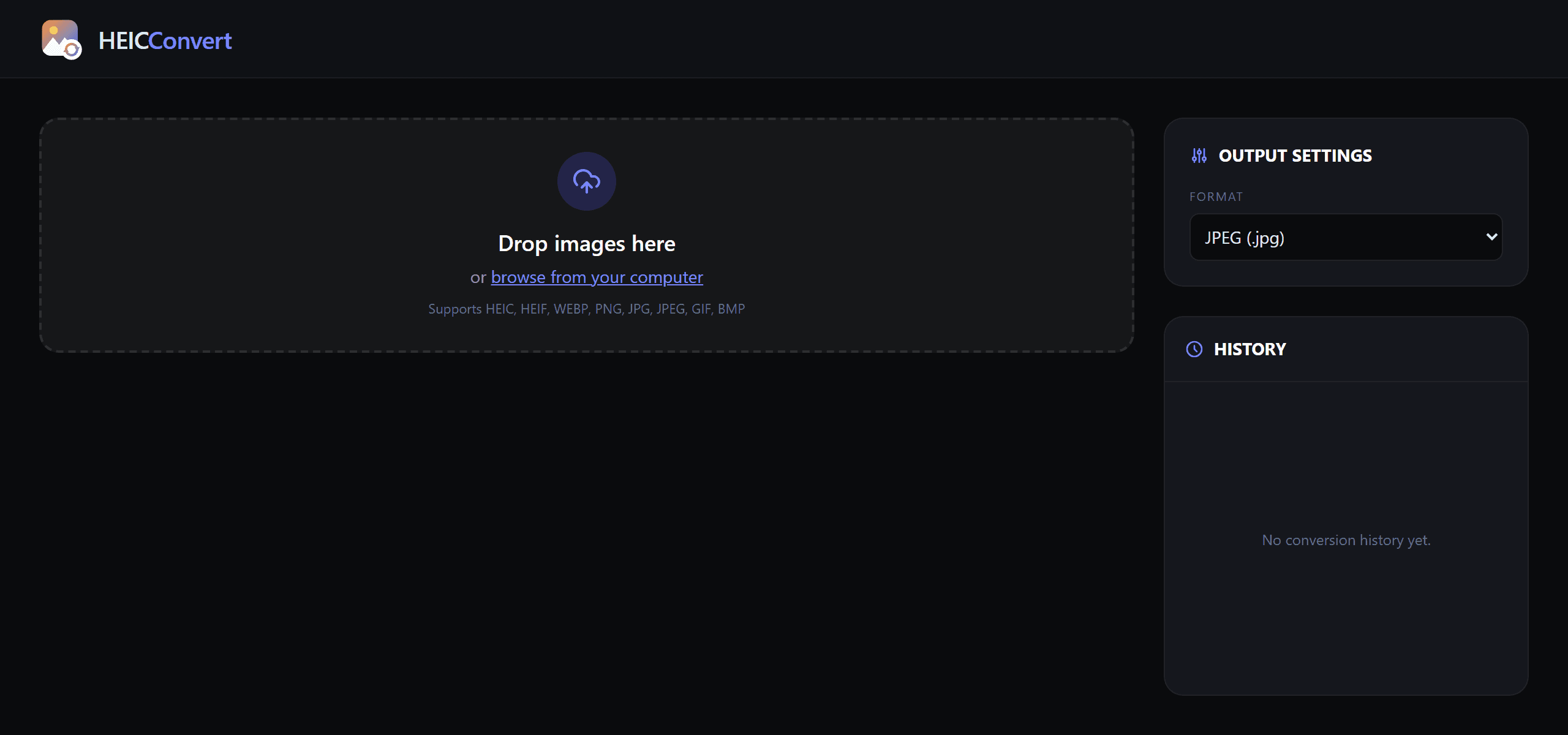
the project
Image Convert is a free, open-source image converter that turns the .heic photos an iPhone produces into JPG, PNG, or WebP — the formats the rest of the web and Windows actually accept. Drag the files in, pick a format, download one at a time or the whole batch as a ZIP.
The point that matters: nothing is uploaded. Every byte is decoded and re-encoded locally in the browser. No server sees your photos, no account is required, and there's a local conversion history you can re-download from. It's live on Google Cloud Run.
the stack
- React 19 + TypeScript + Vite — a single-page app, Tailwind CSS 4 for styling, Motion for the drag-drop interactions, Lucide icons.
- heic2any (WebAssembly) — browsers can't natively decode the proprietary HEIC container, so a WASM decoder does it client-side.
- Canvas re-encode —
createImageBitmap+canvas.toBlobhandle the conversion to JPG/PNG/WebP. Non-HEIC inputs skip the WASM path and go straight to canvas. - IndexedDB history via
idb-keyval— converted blobs persist locally (capped at 50) for one-click re-download. JSZip bundles batch exports. - Docker + nginx on Google Cloud Run — a Vite production build served static, deployed by GitHub Actions.
the hard problems
- Decoding a proprietary format with no server. HEIC isn't a web format and there's no
<img>fallback. A WASM decoder runs the whole thing in-browser, including HEIC files that carry multiple images. - Transparent → JPEG without black artifacts. JPEG has no alpha channel, so the canvas explicitly paints a white background before drawing — otherwise transparent pixels render black on export.
- Full resolution, correct orientation, no leaks.
createImageBitmap(file, { imageOrientation: "from-image" })decodes at native size and respects EXIF rotation; bitmaps are explicitly closed after draw so a large batch doesn't balloon memory. - Quality vs. size. Canvas re-encode tuned to ~0.95 lands near-lossless at roughly half the file size; the HEIC path uses 0.9 to match the source compression.
shipping it (keyless CI/CD)
Direct pushes to main are blocked by branch protection. A merged PR triggers a GitHub Actions workflow that builds the Dockerfile and deploys to Cloud Run — and it authenticates to Google Cloud with Workload Identity Federation (GitHub OIDC tokens exchanged for short-lived credentials), so there are no service-account keys stored anywhere in the repo. It's the modern, keyless deploy pattern, not a long-lived secret in a settings page.
what this demonstrates
- Privacy by construction. “Files never leave your machine” isn't a policy — there is no upload path. The architecture makes the promise.
- Web-platform depth. WASM, the canvas/ImageBitmap pipeline, EXIF handling, IndexedDB persistence, and memory discipline — the browser as a real image toolchain.
- Shipped, not just built. Live on Cloud Run behind containerized, branch-protected, keyless CI/CD.
- Free and open source. A genuinely useful utility, given away.